
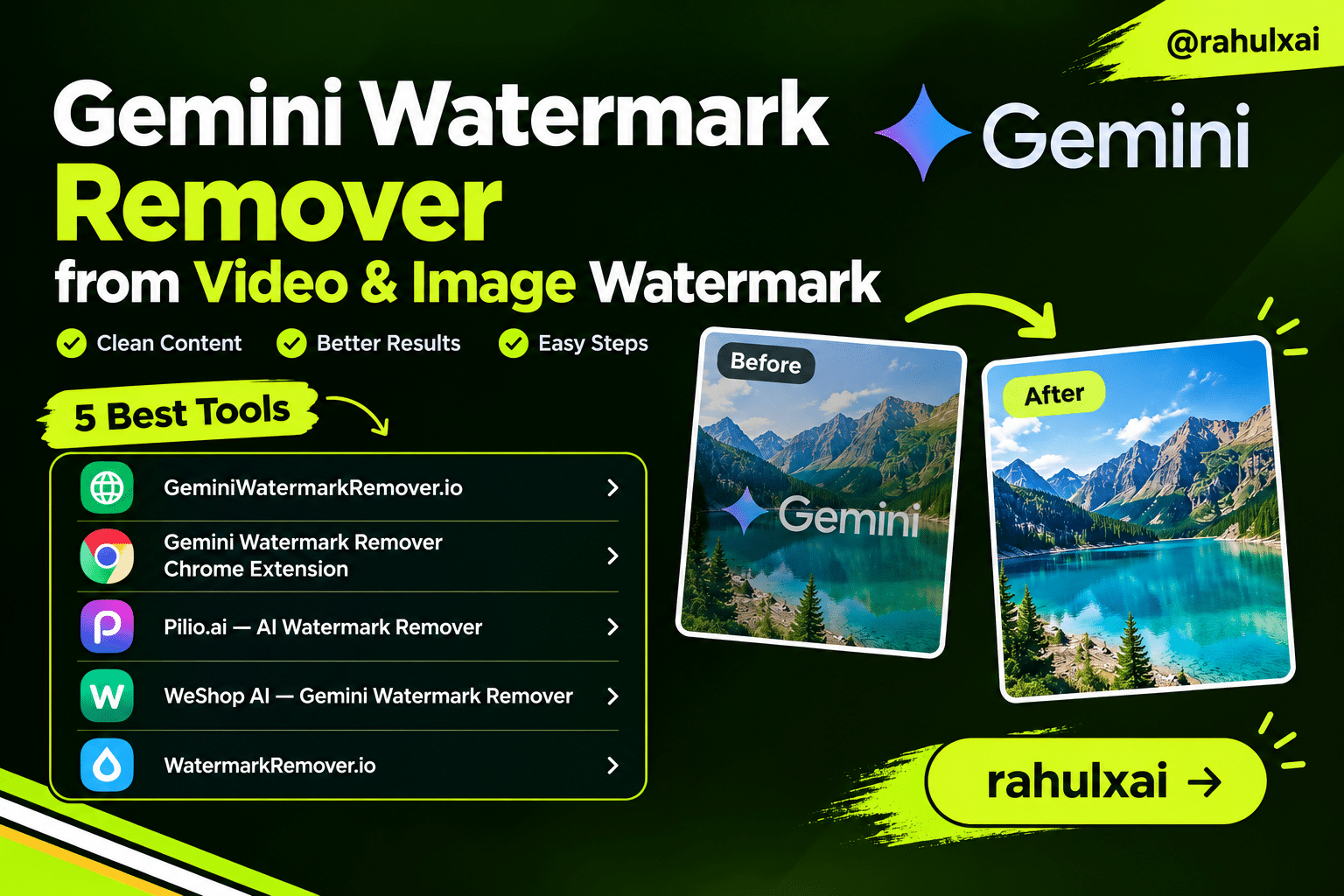
When you generate an image or video using Google Gemini AI (including Gemini 1.5, Gemini Omni, and Google AI Studio), the output is automatically stamped with a semi-transparent watermark. This appears as a small Gemini logo placed in the bottom-right corner of every AI-generated visual.
The watermark is applied using an alpha blending technique — the logo is composited onto the image at a certain opacity. Unlike invisible steganographic watermarks such as Google’s SynthID, the Gemini visible watermark can be mathematically reversed. This is exactly what Gemini watermark removal tools exploit.
Since late June 2026, Google rolled out a slightly updated watermark — more transparent and placed slightly further from the image edge. Top removal tools have already been updated to handle both old and new versions.
Why Do People Remove Gemini Watermarks?
There are many legitimate reasons a creator, designer, or marketer would want a clean version of their AI-generated image or video:
- Professional portfolios — A watermark distracts from the quality of the artwork in a design portfolio.
- Marketing materials — Ads, banners, and product visuals look unprofessional with a logo overlay.
- Social media content — Creators repurposing AI content for Instagram, TikTok, or YouTube prefer clean visuals.
- Slide decks and presentations — Boardroom-ready presentations need distraction-free visuals.
- UI mockups and screenshots — App designers embedding AI art into mockups need clean renders.
How Gemini Watermark Remover Works
The leading Gemini watermark removal tools don’t guess — they use Reverse Alpha Blending, a mathematically precise algorithm that reconstructs the original pixels underneath the watermark.
Here’s the core formula used under the hood:
Where α is the known opacity of the Gemini watermark logo at each pixel.
Because Google uses a fixed Gemini logo with known dimensions (both 48×48 and 96×96 pixel variants) and a known placement position, the algorithm can detect and precisely reconstruct the pixels underneath. This produces lossless, artifact-free results — unlike AI inpainting methods that hallucinate background pixels.
Key Technical Advantages
100% local processing. The best tools run entirely in your browser — no image is ever uploaded to a server. Your AI-generated content stays private.
Auto-detection. The tool automatically identifies the watermark size and position, even on busy or bright backgrounds, using anchor-point search and Gemini’s known output catalog.
Cross-format support. PNG, JPG, JPEG, and WebP for images; MP4 and common video formats for video watermark removal.
Removing Gemini Watermarks from Images
Removing the Gemini watermark from a static image is fast and straightforward. Here’s the general process across most online tools:
Open the watermark remover site — Navigate to one of the tools listed below. No account or signup is required for most.
Upload your Gemini-generated image — Drag and drop or select your PNG, JPG, or WebP file. Files are processed locally in your browser.
Wait for auto-detection — The tool scans for the Gemini logo’s position and extracts its alpha map automatically.
Review the result — A preview shows the cleaned image. Check that the removal area looks natural with no dark artifacts or blotches.
Download your clean image — Save the watermark-free file at full original resolution.
Most tools also support bulk processing — you can upload multiple images at once and download them all in a single batch, ideal for content workflows.
Removing Gemini Watermarks from Videos
Gemini Omni can generate short AI videos — and these are also watermarked. Video watermark removal is more complex than images because the tool must process every individual frame consistently while maintaining temporal coherence (so the removed area doesn’t flicker between frames).
The Chrome extension approach is the slickest for video: when you generate a video on the Gemini platform, a “Download Clean Video” button appears directly below the generated clip. Click it, and the extension processes the video locally and gives you a watermark-free MP4 at full resolution.
Online Video Watermark Removal Steps
Visit the video watermark remover — Go to a site supporting video (such as geminiwatermarkremover.io/video or weshop.ai).
Upload your MP4 or video file — The tool accepts common video formats. File size limits vary by tool.
AI frame analysis — The system analyzes every video frame, detects the Gemini logo position with smart tracking, and applies the reverse alpha blending frame-by-frame.
Video reconstruction — The removed area is filled using surrounding pixels, maintaining resolution and avoiding visual artifacts.
Download the clean video — Export your watermark-free video, ready for TikTok, Instagram Reels, YouTube Shorts, or professional publishing.
--video-bitrate-mbps 20 for high-fidelity exports. Higher bitrate means larger files but better quality — important for professional video work.Top 5 Sites for Gemini Watermark Removal
Here are the best tools available right now for removing Gemini AI watermarks from both images and videos. All five are well-maintained, actively updated to support the latest Gemini watermark formats, and trusted by thousands of creators.
The most popular dedicated tool, supporting both image and video watermark removal (at /video). Uses reverse alpha blending, 100% local processing, bulk mode for multiple images, and drag-and-drop interface. Actively updated — now supports the June 2026 Gemini watermark format. No signup required.
FREE
With 3,000+ users, this one-click Chrome extension integrates directly into the Gemini web platform. When you generate an image or Gemini Omni video, a “Download Clean Image / Video” button appears automatically. Everything runs locally — full-size, full-resolution, watermark-free download in seconds.
EXTENSION
pilio.ai/image-watermark-remover
A general-purpose AI watermark remover that handles Gemini watermarks and many other logo types. Powered by GPT Image 2, Pilio is the go-to option when the standard Gemini-specific tool can’t handle a particularly tricky image. Free for a limited period, supporting PNG, JPG, and WebP.
AI-POWERED
WeShop AI’s dedicated Gemini watermark tool is particularly strong for video. It processes entire video files automatically, detecting logos, transparent watermarks, and branding overlays across every frame, then reconstructs the surrounding pixels for natural results. Ideal for social media clips and marketing campaigns.
VIDEO
One of the most trusted general watermark removal platforms, supporting images and videos with advanced AI-driven precision. Handles Gemini watermarks alongside other platform logos and text overlays. Offers free access for quick results and is browser-based with no software installation needed.
FREE
Quick Comparison Table
Here’s how the top 5 Gemini watermark remover sites stack up on the most important features:
| Tool | Image | Video | Bulk Mode | Local Processing | Free |
|---|---|---|---|---|---|
| GeminiWatermarkRemover.io | ✓ | ✓ | ✓ | ✓ | ✓ |
| Chrome Extension | ✓ | ✓ | — | ✓ | ✓ |
| Pilio.ai | ✓ | — | — | — | ✓* |
| WeShop AI | ✓ | ✓ | — | — | ✓ |
| WatermarkRemover.io | ✓ | ✓ | — | — | ✓ |
* Free for limited time. Availability may change.
Legal Disclaimer
This blog post is for informational and educational purposes only. The removal of watermarks may carry legal implications depending on your jurisdiction and how you intend to use the content.
Users are solely responsible for ensuring their use of watermark removal tools complies with applicable laws, Google’s Terms of Service, and any intellectual property rights. This article does not condone or encourage the misuse of these tools for copyright infringement, content misrepresentation, or any unlawful purpose.
Always use AI-generated content responsibly and ethically — and ensure you have the appropriate rights to any image or video you process